 splines
scripts / norns
pools
a shimmery reverb
install
In maiden's REPL (the >> prompt at the bottom of the editor), run:
;install https://github.com/justmat/poolsOr add the splines catalog to maiden and install it from the project manager. Restart norns if the script ships a new engine.
readme from justmat/pools
a shimmery reverb for norns
control
there are three pages, filter, mix, and edit. navigate using key 2/3. key 1 is alt.
filter
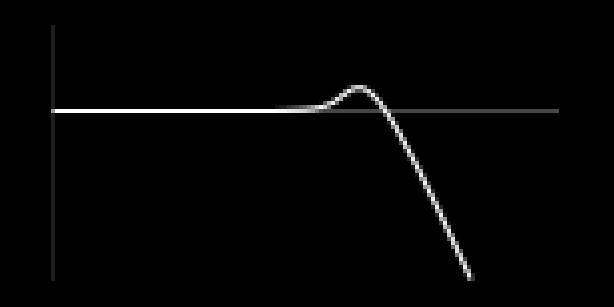
this is the input filter.
- encoder 1: filter type. lowpass, or highpass.
- encoder 2: filter cutoff
- encoder 3: filter resonance
mix

- encoder 1: dry level
- encoder 2: wet level
- encoder 3: shimmer amount/feedback
edit
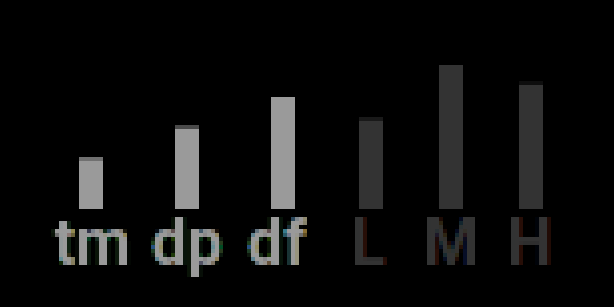
- encoder 1: reverb time
- encoder 2: reverb dampening
- encoder 3: early diffusion shape
holding alt shifts control to reverb eq/filtering.
- alt + encoder 1: low attenuator
- alt + encoder 2: mid attenuator
- alt + encoder 3: high attenuator
nb: you can adjust the low/mid/high crossover frequencies via the params menu
parameters
- dry - dry level
- wet - wet level
- shimmer - shimmer level/feedback
- freq - input filter cutoff
- res - input filter resonance
- gain - input filter gain
- type - input filter type (lowpass/highpass)
- time - reverb time/t60
- damp - reverb dampening
- size - reverb size
- diff - early diffusion shape
- mod depth - delay line modulation depth
- mod freq - delay line modulation rate
- low x - reverb eq/ low attenuator
- mid x - reverb eq/ mid attenuator
- high x - reverb eq/ high attenuator
- lowband - low/mid crossover freq
- highband - high/mid crossover freq
- pitchDisp - pitch shifting, random pitch variation
- timeDisp - pitch shifting delay
- pitchRatio - pitch shifting freq (1 is nominal pitch rate, 2 is an octave, 4 is two octaves etc...)