 splines
scripts / norns
path-trace
A movement recorder for norns and crow
install
In maiden's REPL (the >> prompt at the bottom of the editor), run:
;install https://github.com/brokyo/path-traceOr add the splines catalog to maiden and install it from the project manager. Restart norns if the script ships a new engine.
readme from brokyo/path-trace
Path Trace
A movement recorder for Norns and Crow.
Record encoder rotations to four looping, independent buffers — one for each Crow output — and optionally set voltage output range, sample and hold trigger, and quantization.
Requirements
- Norns
- Crow
Documentation
Select
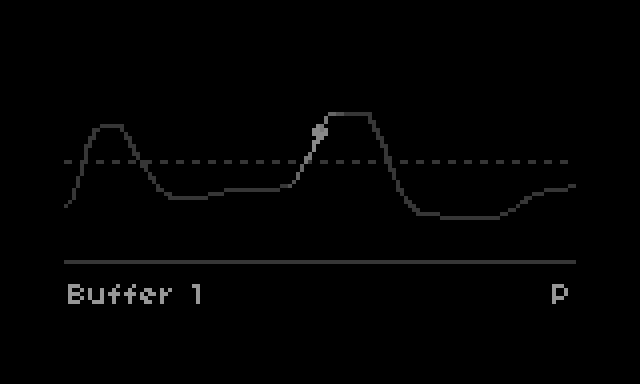
E1selects one of four buffers. Each buffer corresponds with the Crow output of the same number.
Record
K2toggles recording. Press once to begin recording, and press again to end it. 'R' appears in lower right when recording is active.E2is monitored during recording. The encoder's position is captured every 30ms.
Play
K3toggles playback. Press once to begin playing, and press again to end it. 'P' appears in lower right when playback is active.
Configure
- Settings can be changed through the
Paramsmenu, get there by pressingK1and turningE1until you see the fourth screen.
Global Configuration
KeyandModeapply to all quantized buffers
Individual Buffer Configuration
Voltage Rangeadjusts the minimum and maximum voltage values. Select from common Eurorack standards.S&H Inputdesignates which crow input will trigger a sample and hold event. Once selectedC[#]will appear in lower right and will flash when a pulse comes in.Quantizationadjusts the buffer's output to match the scale set by the globalKeyandMode.Octave BaseandOctave Rangeset the octaves to which the quantized notes will be mapped.
Other Things To Know
- Each buffer can hold up to five minutes of recording, with samples taken every 30ms.
- Recording will immediately end if
E1is turned. - Using
K2to stop recording resets the buffer to the start. - Changing the
Voltage Rangedoes not retroactively adjust existing values.
Future Ideas
- Tune playback speed on scope
- Connect tempo to internal clock
- TXO support
- One shots