 splines
scripts / norns
norns-repl
Interact with Norns in a VSCode terminal
install
In maiden's REPL (the >> prompt at the bottom of the editor), run:
;install https://github.com/midouest/norns-replOr add the splines catalog to maiden and install it from the project manager. Restart norns if the script ships a new engine.
readme from midouest/norns-repl
Norns REPL
Interact with Norns in a VSCode terminal
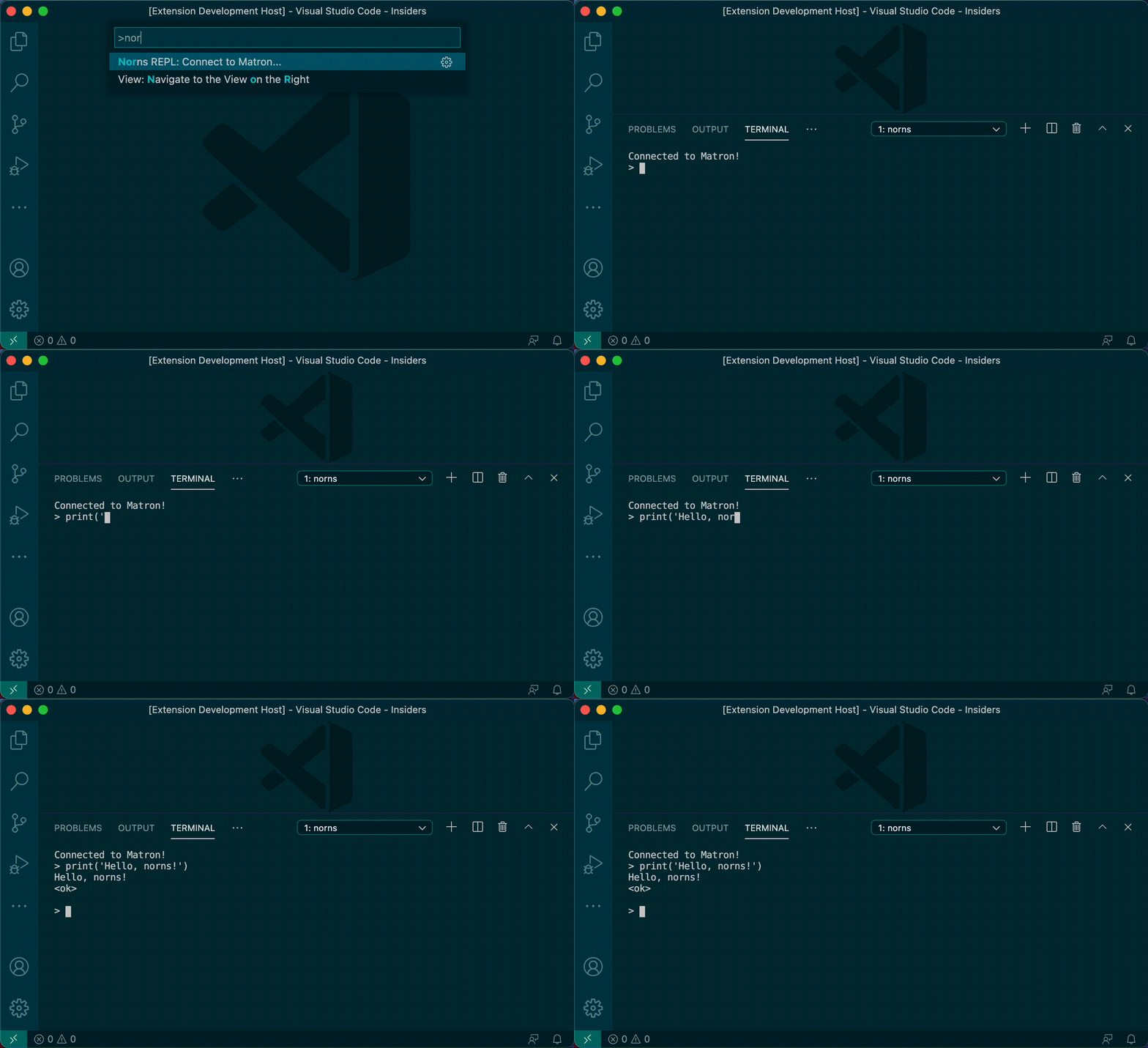
Commands
nornsREPL.matron.connect
- Connect to the Matron REPL at the configured Norns host and port
- Command Palette: "Norns REPL: Connect to Matron..."
nornsREPL.matron.send
- Send a command to the Matron REPL at the configured Norns host and port
- Command Palette: "Norns REPL: Send Command to Matron..."
nornsREPL.matron.sendSelection
- Send the selected Lua code to the Matron REPL at the configured Norns host and port
- The Matron REPL must be connected and the active editor language must be Lua
nornsREPL.crone.connect
- Connect to the Crone REPL at the configured Norns host and port
- Command Palette: "Norns REPL: Connect to Crone..."
nornsREPL.crone.send
- Send a command to the Crone REPL at the configured Norns host and port
- Command Palette: "Norns REPL: Send Command to Crone..."
nornsREPL.crone.sendSelection
- Send the selected Lua code to the Crone REPL at the configured Norns host and port
- The Crone REPL must be connected and the active editor language must be Supercollider
nornsREPL.script.reload
- Reload the current script using
norns.script.load(norns.state.script) - Command Palette: "Norns REPL: Reload Script"
nornsREPL.sleep
- Put Norns to sleep using
norns.shutdown() - Command Palette: "Norns REPL: Sleep"
Configuration
nornsREPL.host
- Norns hostname to connect to
- Default:
norns.local
nornsREPL.matron.port
- Matron websocket port to connect to
- Default:
5555
nornsREPL.crone.port
- Crone websocket port to connect to
- Default:
5556
nornsREPL.maxHistory
- Maximum number of previous commands to store in history
- Default: 100