 splines
← all scripts / norns
lorenzos-drums
an electroacoustic drumset and sequencer
install
In maiden's REPL (the >> prompt at the bottom of the editor), run:
;install https://github.com/schollz/lorenzos-drumsOr add the splines catalog to maiden and install it from the project manager. Restart norns if the script ships a new engine.
readme from schollz/lorenzos-drums
lorenzo's drums
an electroacoustic drumset.
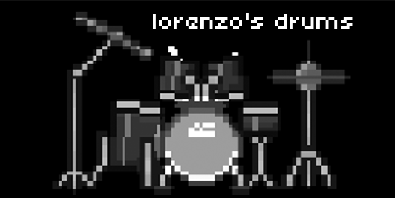
this is a norns script that allows you to manipulate a high-quality drumset composed of many meticulously captured samples from Lorenzo Wood (shared through www.pianobook.co.uk). each drum hit is composed of ~6 samples which are mixed according to the current mic positions (up to three positions) and velocity (interpoalted between two velocities of up to eight layers).
Requirements
- norns
- 128 grid or midigrid (optional)
- at least 200 MB of disk space (for downloaded samples)
Documentation
quickstart
the first time you start you will have to wait for samples to download. once done you can goto PARAMS > choose pattern and choose a pattern. then hit PARAMS> load pattern. then goto the main screen and press K1+K3 to start the pattern.
guide
- E1 selects drum
- K1+E1 selects parameter
- E2/E3 changes position in grid
- K2/K3 decreases/increases value
- K1+K2 sets length of sequence
- K1+K3 toggles playing
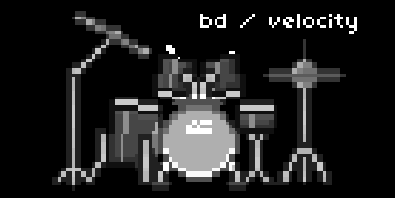
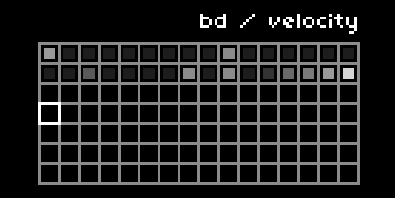
at the heart of lorenzo's drums are nine drum pieces (kick, snare, cross-stick, closed hat, open hat, ride, low tom, mid tom, and high tom). each drum set piece has parameters that can be modulated by individual step sequences - including velocity, pan, rate, reverse, probability. each of these parameters are modulated by increasing the value of a step in its step sequencer. each parameter has its own sequencer. each instrument has its own clock division and its own swing.
grid
for now - please refer to this tutorial video:
(if anyone wants to supply a grid layout I would be exceedingly happy)
midi
midi output and input is supported. midi output is sent per channel, each instrument on its own channel (1-9). midi input by default is note based but can be changed in the settings. instrument triggers can also be midi-mapped so you can use a midi controller instead of a keyboard.
recording
you can record quantized notes onto any track. enter recording mode by toggling PARAMS > record, or by going into "ERASE/REC" mode on the grid by making the last two buttons dim.
writing patterns
you can actually compose patterns in a text editor instead of using the grid/norns. simply edit this file in maiden or your favorite editor. follow the patterns in that file for naming/syntax. those patterns will be available to select and load from the PARAMS menu.
chaining patterns
chaining patterns is possible if you have multiple banks - chaining is instrument specific so it must be done on each individual drum piece. first record into several banks (hold a key on row 7 on the grid or on the emulated grid). then go into RECORD mode (on grid, make the two gesture buttons dimly lit, without grid simply enable PARAMS > record). now you can select banks and they are added to a "pattern" that will be executed immediately - changing to each new pattern when one finishes.
future
this isn't the final script I envisioned. but its fun to use, and I thought I'd share this iterations so that you might have some fun using it too. in the future I'd like to...
- add the ability for the drums to "evolve" (maybe similar to the acid test script). there's something very solid about patterning in this way and I'd like to liquidate it somehow.
- add more fx and make the current fx better (the current fx leave a lot to be desired)
allow chaining patterns (in the nomenclature of this script it would be to chain loading of banks. I think this would be cool especially since banks are instrument-specific)v0.2- fix bugs (including one where the UI doesn't show open-hat well)
ideas are welcome. code changes are especially welcome. if you want to send a PR for something you'd like to add (or implement one of the ideas above), please don't hesitate. if you need help with a making a code change, please don't hesitate to ask.
is it possible to use other samples?
it is possible, but you'd have to make this change yourself in the engine code. the filenames for each sample of each instrument are hard-coded. the files exist in folders according to their mic position ("hat", "snare", and "kick" microphones), where each sample has the same name for each mic position. then the code has a matrix for each instrument, where the round-robin sample is specified in each column and each velocity layer in the row of the matrices in the engine - for example see the assignment of kick samples.
Install
install using with
;install https://github.com/schollz/lorenzos-drums
once you run for the first time it will automatically download the samples (requires 200 MB of disk space).
discussion
Like this script? React with 👍 or ❤️ below (needs a GitHub account). Reactions count as likes (♥) on splines, updated daily.