 splines
← all scripts / norns
automs70
automate MS-70 CDR parameters
install
In maiden's REPL (the >> prompt at the bottom of the editor), run:
;install https://github.com/pangrus/automs70Or add the splines catalog to maiden and install it from the project manager. Restart norns if the script ships a new engine.
readme from pangrus/automs70
automs70
This is a monome norns script to automate up to nine parameters of the ZOOM MS-70 CDR multi effect.
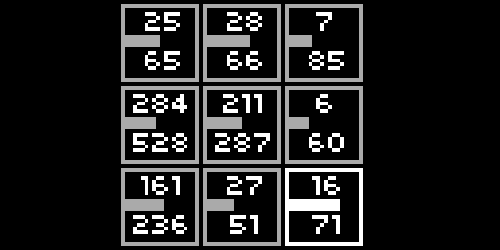
how to use automs70
Use the encoder 1 to select one of the nine controllers.
The encoder 2 sets the minimum value and encoder 3 sets the maximum value that will be sent to the MS-70 CDR.
Pressing key 2 you can select the effect and knob destination.
Use key 3 to randomize the values.
Automs70 can also be used to generate nine MIDI control change commands: define in the norns parameters menu the destination CC number and relative midi channel.
discussion
Like this script? React with 👍 or ❤️ below (needs a GitHub account). Reactions count as likes (♥) on splines, updated daily.