 splines
← all scripts / norns
4CCFader
a four channel CC MIDI fader controller for Norns
install
In maiden's REPL (the >> prompt at the bottom of the editor), run:
;install https://github.com/hanjo-synth/4CCFaderOr add the splines catalog to maiden and install it from the project manager. Restart norns if the script ships a new engine.
readme from hanjo-synth/4ccfader
4CCFader
4CCFader is a real-time MIDI CC morphing tool for Monome Norns, designed for expressive live control and sound design.
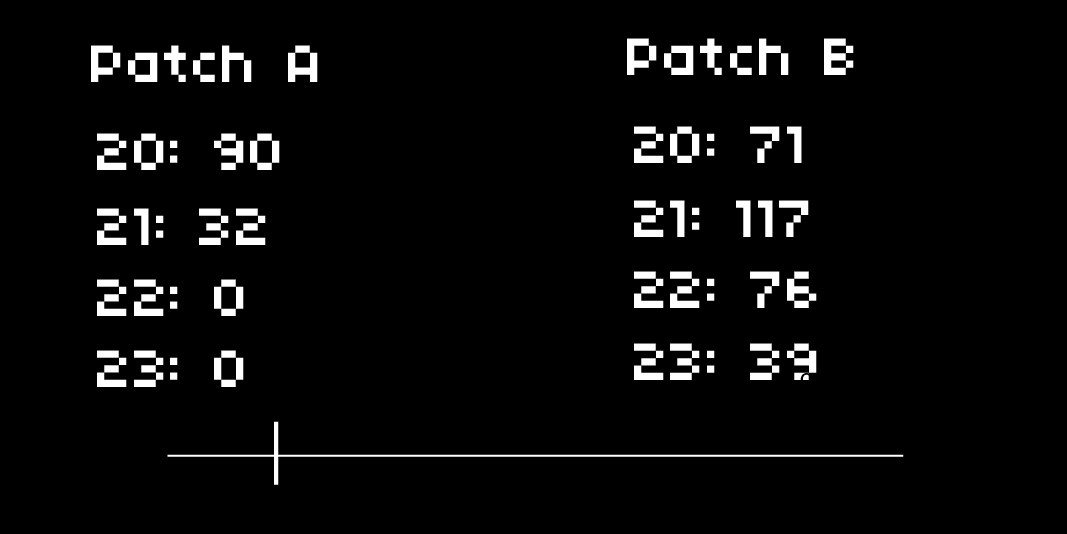
Crossfade between two programmable MIDI CC patches and interpolate smoothly using a virtual fader. Perfect for hardware synths, modular rigs, or any MIDI-capable device.
Author: HANJO – Tokyo, Japan 🇯🇵
FEATURES
K2: Toggle focus between Patch A, Patch B, and FaderK3: Randomize Patch A and Patch B valuesE1: Switch between Main View and SettingsE2: Select parameter or fader; select settingE3: Adjust parameter value, fader level, or setting- Real-time interpolation of 4 MIDI CCs between two patches using a virtual crossfader
OUTPUTS
- Sends MIDI CC messages via USB in real-time
- Interpolates values from Patch A to Patch B based on fader position
- Default MIDI Channel:
1(adjustable) - Default CC Numbers:
20–23(customizable)
PAGES
Main View
- View and edit Patch A, Patch B, and Fader
- Visual feedback of CC values and fader position
Settings
- Set MIDI Channel
- Customize CC Numbers for each of the 4 parameters
USE CASES
- Morph between two synth presets during a performance
- Live interpolate between filtered and unfiltered sounds
- Create expressive motion between modulation states or FX levels
- Use with modular systems via MIDI-CV interfaces
REQUIREMENTS
- Monome Norns (any model)
- Any hardware or software device that responds to MIDI CC
INSTALLATION
- Clone or download this repository into your
dust/code/folder on your Norns. - Launch
4CCFaderfrom the SELECT menu.
USAGE TIPS
- Use the fader to smoothly morph between two sound states in performance.
- Randomize both patches with K3 for fast generative exploration.
- Assign CC numbers in Settings to match your synth or effect processor.
discussion
Like this script? React with 👍 or ❤️ below (needs a GitHub account). Reactions count as likes (♥) on splines, updated daily.